
Your TIDAL music, in the terminal.
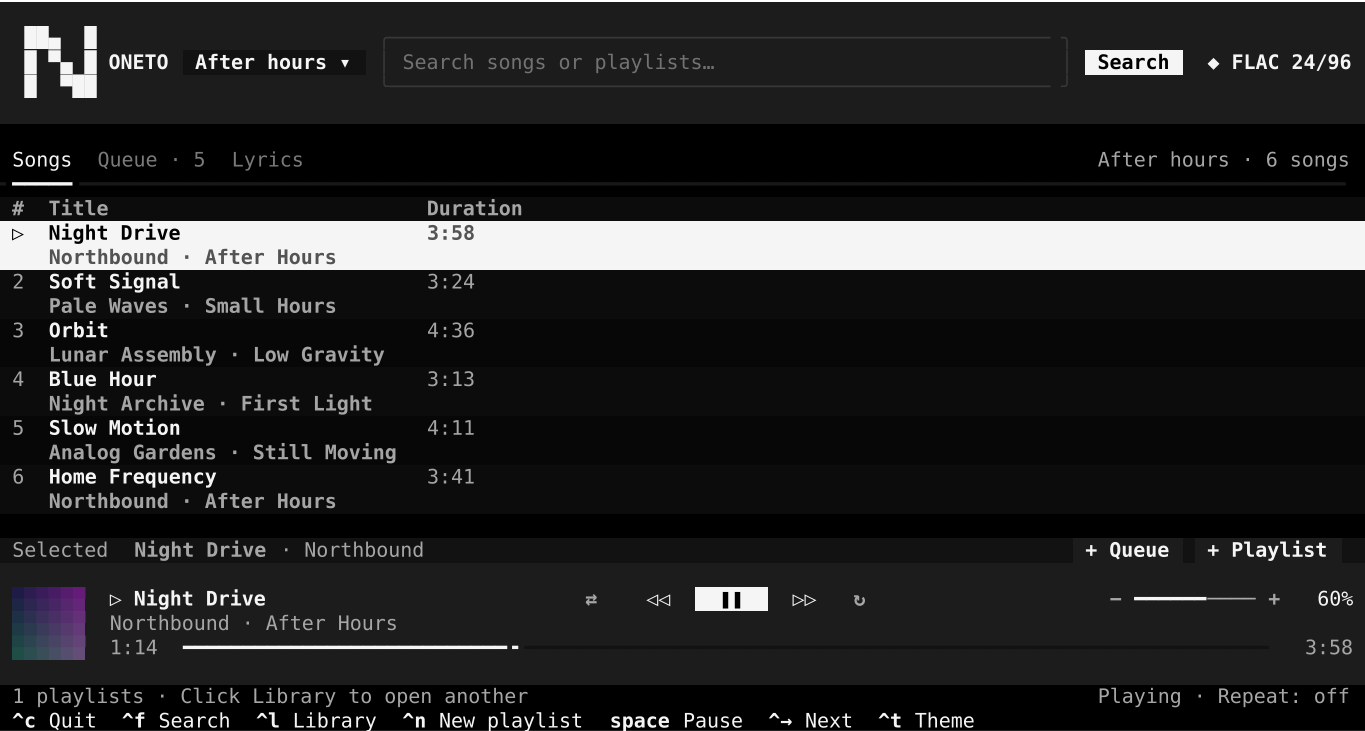
Noneto CLI is an unofficial, open-source client for Windows. Hi-Res, playlists, queue, and lyrics, with keyboard or mouse.
- Windows
- Python
- GitHub
- MIT
Install
Three commands to your first song.
You need uv and a TIDAL account with playback access. uv installs Python 3.12 if needed.
PowerShell
- Install the client
uv tool install git+https://github.com/VincentPelos/noneto-cli - Set up the player
noneto --install-mpv - Open Noneto and authorize your account
noneto
Terminal can’t find noneto? Run uv tool update-shell and open a new terminal.
Quick answers
- Do I need a TIDAL account?
- Yes, with playback access. Noneto does not include a subscription.
- Is it official?
- No. Noneto’s interface and original code are MIT; tidalapi retains LGPL-3.0-or-later. TIDAL controls its service and APIs: changes may cause features to stop working or be removed. Using an unofficial client may go against TIDAL’s terms; use it at your own risk.
- What quality do I get?
- Up to Hi-Res. The badge shows what actually arrives for each track.
- What does it store on my PC?
- Session tokens encrypted with DPAPI and local logs. No music, no downloads.
- Which terminal do I need?
- A Windows terminal with mouse support. Works from 80 × 24.
- What about Linux?
- Noneto runs on Windows today. Linux is planned for version 2.0.